
EMPLOYEE TIME TRACKING
WITHOUT THE HASSLE
Give employees an easy way to enter and view their time using QR codes — while you manage everything in Google Workspace.
HOW IT WORKS
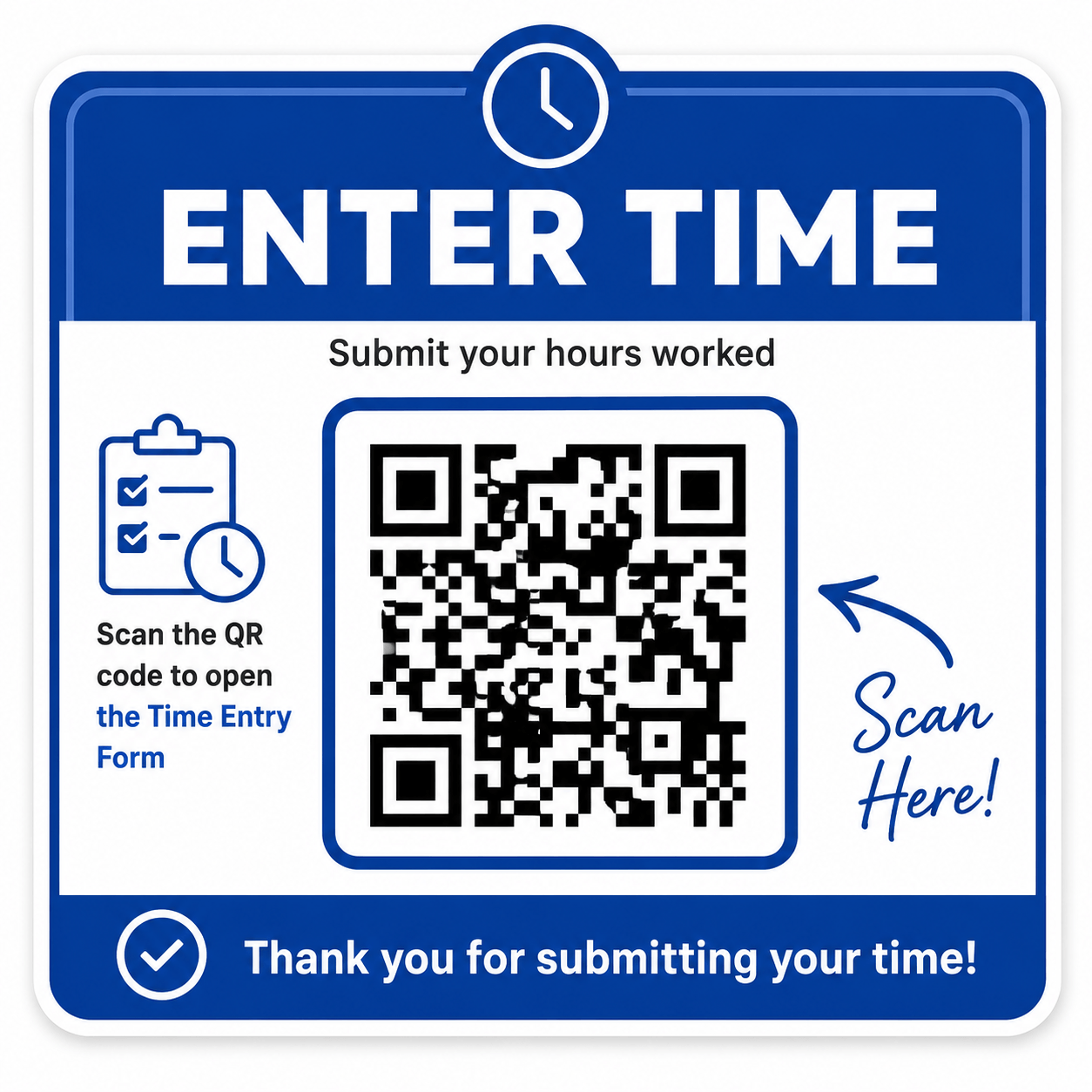
Scan the QR Code
No app to install. No account to create.
Employees simply scan the Time Entry QR code with their phone to open the time entry form.
Scan from any smartphone
Select their name
Enter date and hours worked
Submit in seconds
Everything You Need to Track Employee Time
Quick employee time entry
Easy access to time records
Built for small businesses

QR Code Time Entry
Employees scan and enter their time from their phone.

Google Workspace Based
Your time records stay organized in Google Workspace.

Employee Time View
Employees can scan a separate QR code to view their own time.

No Complicated Software
No new app or time-clock system for employees to learn.
From Time Entry to Time Records

Employee Enters Time
Employee scans the QR code, selects their name, and enters their hours.

Time Is Recorded
Each submission is automatically recorded in Google Sheets.

Review Hours & Pay
View and manage employee time records from one organized spreadsheet.
What's Included
Everything you need to collect, organize, and review employee time — set up and ready to use right in your Google Drive.
Enter Time QR Code Sign
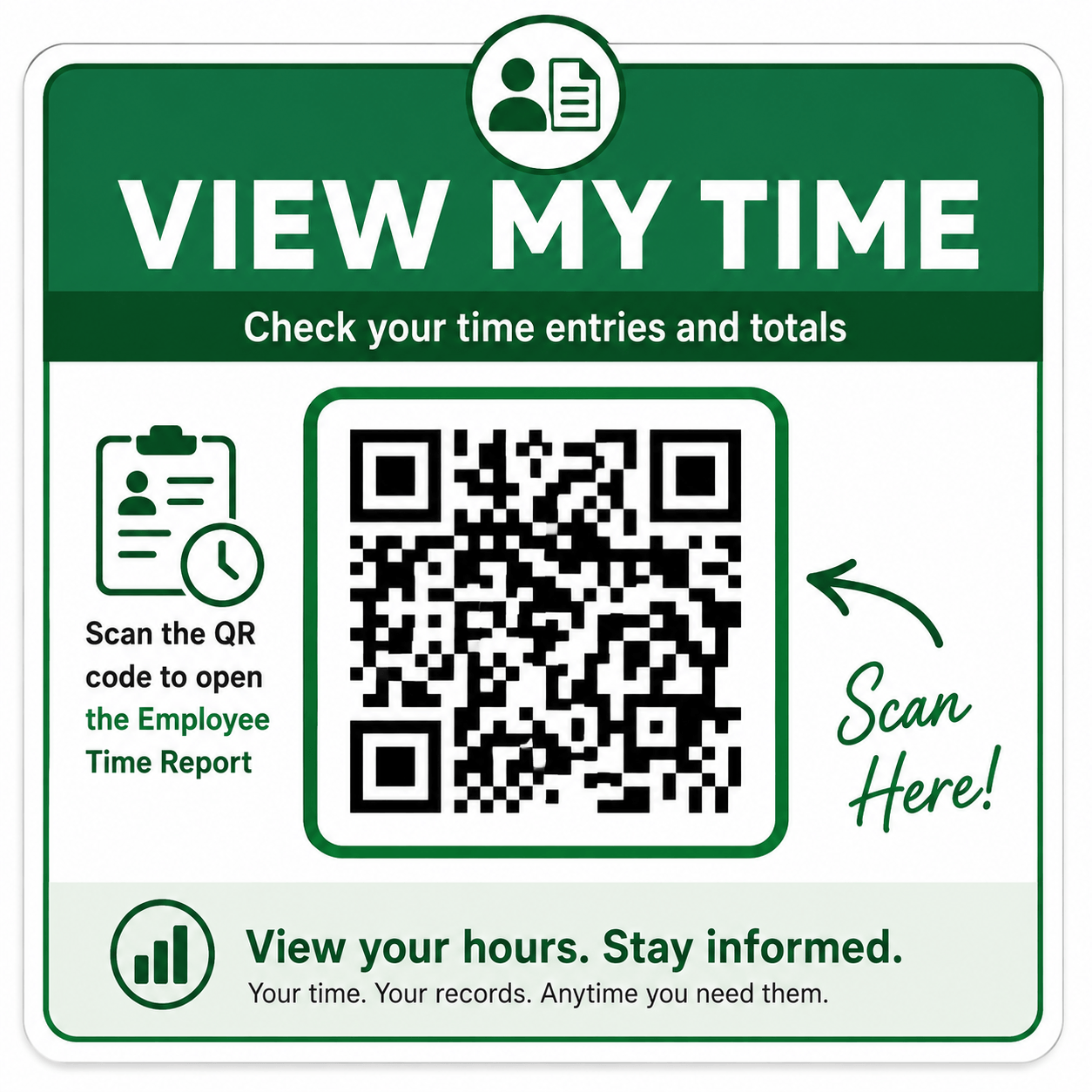
View Time QR Code Sign
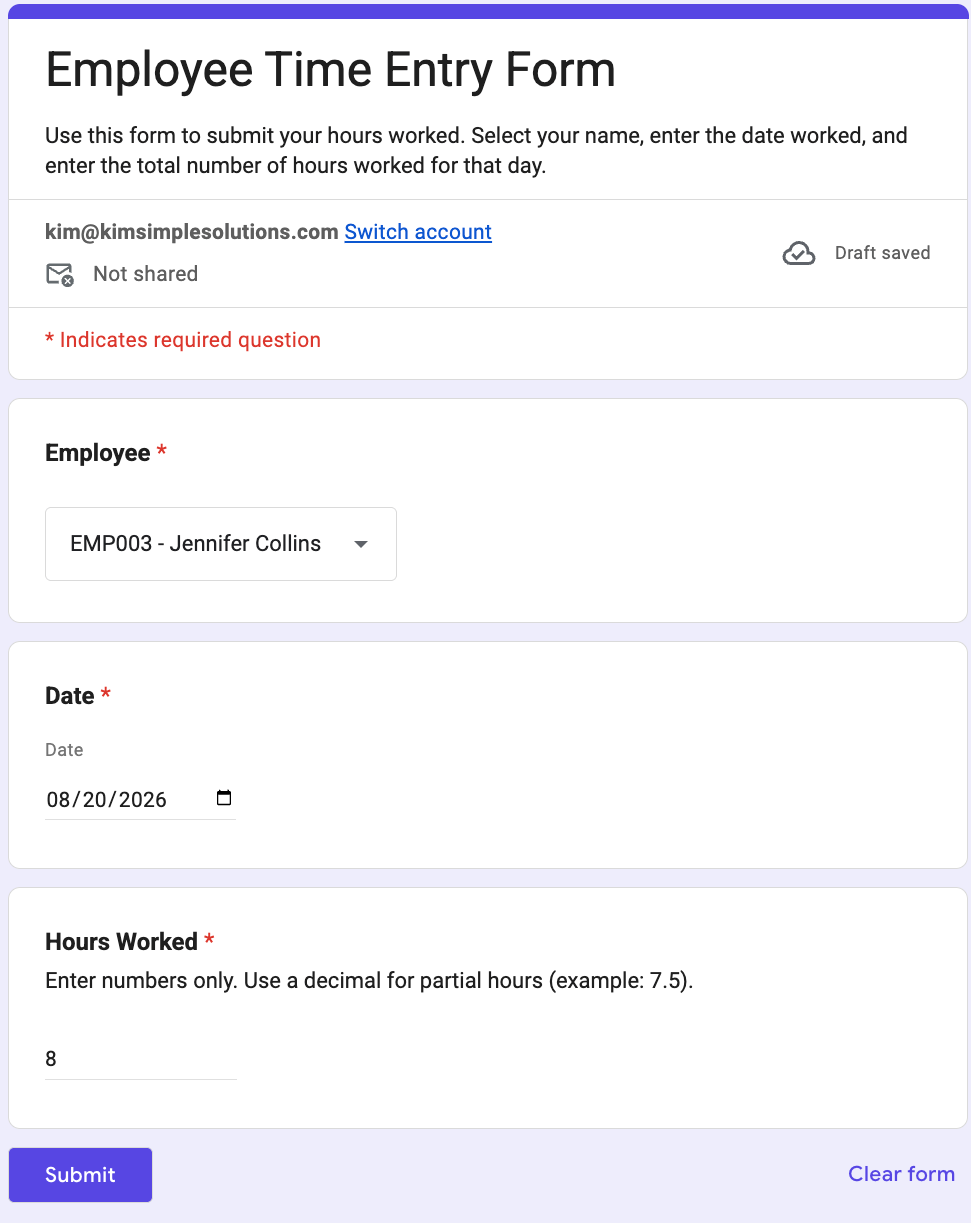
Time Entry Form
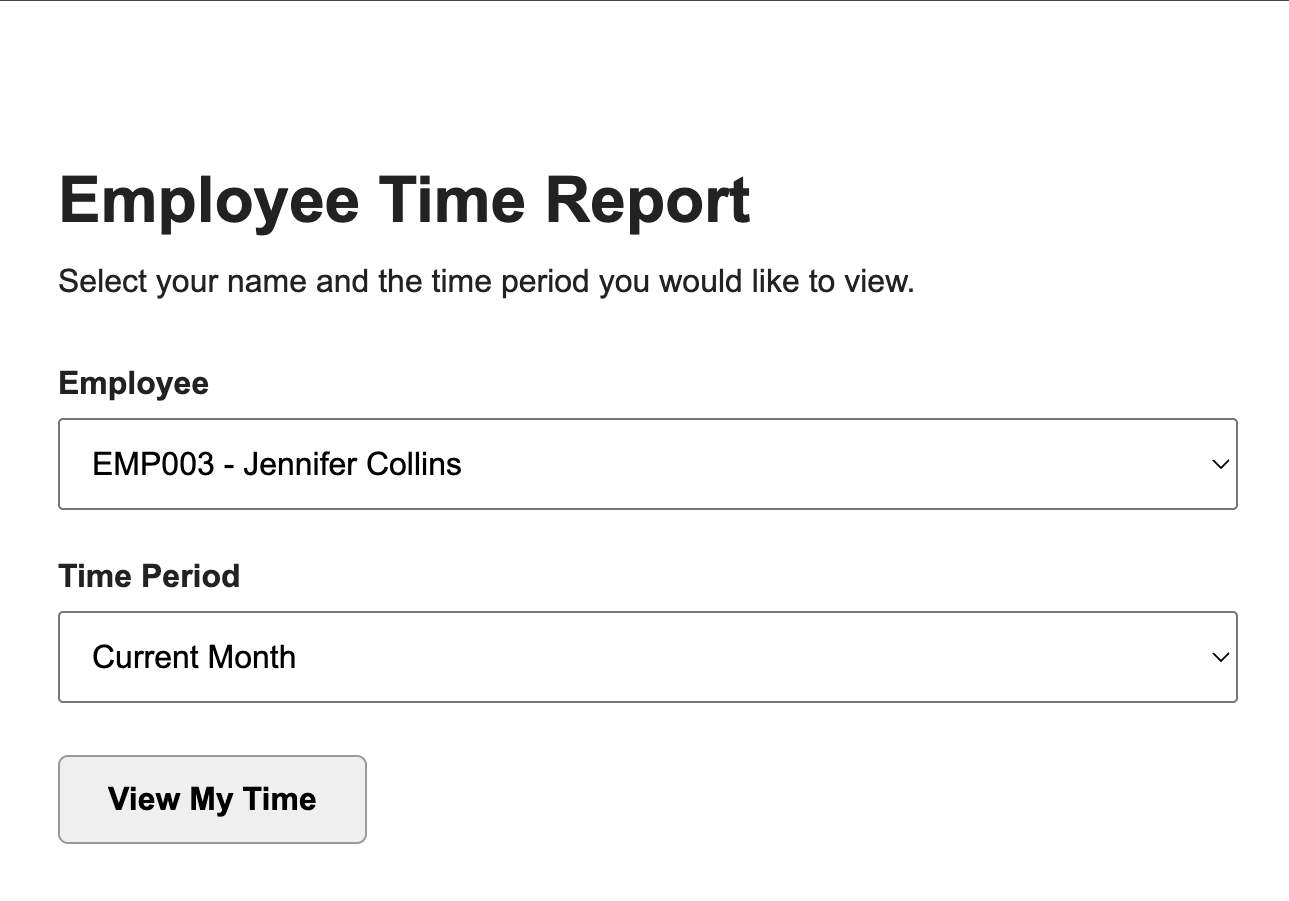
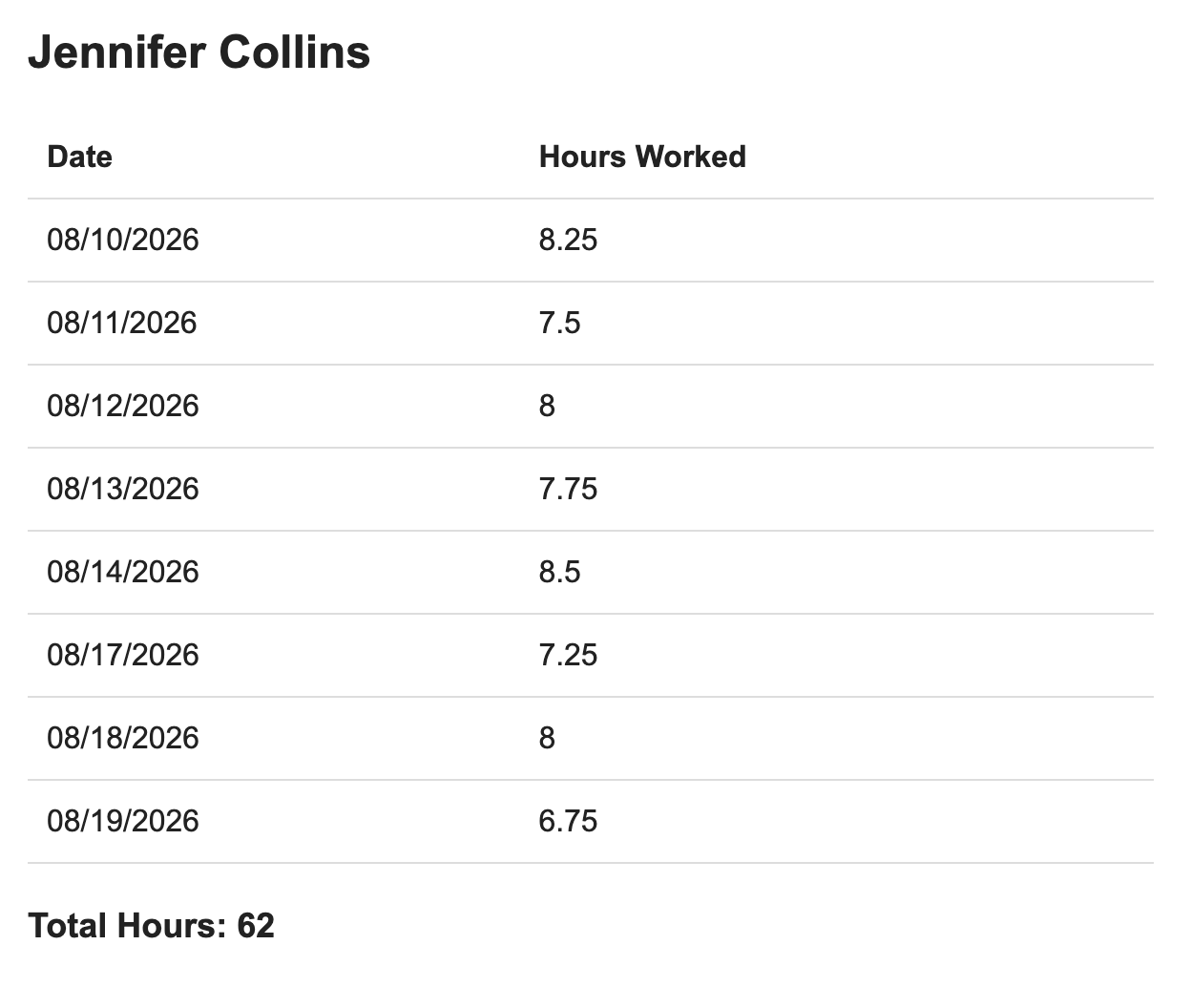
View Time Webpage
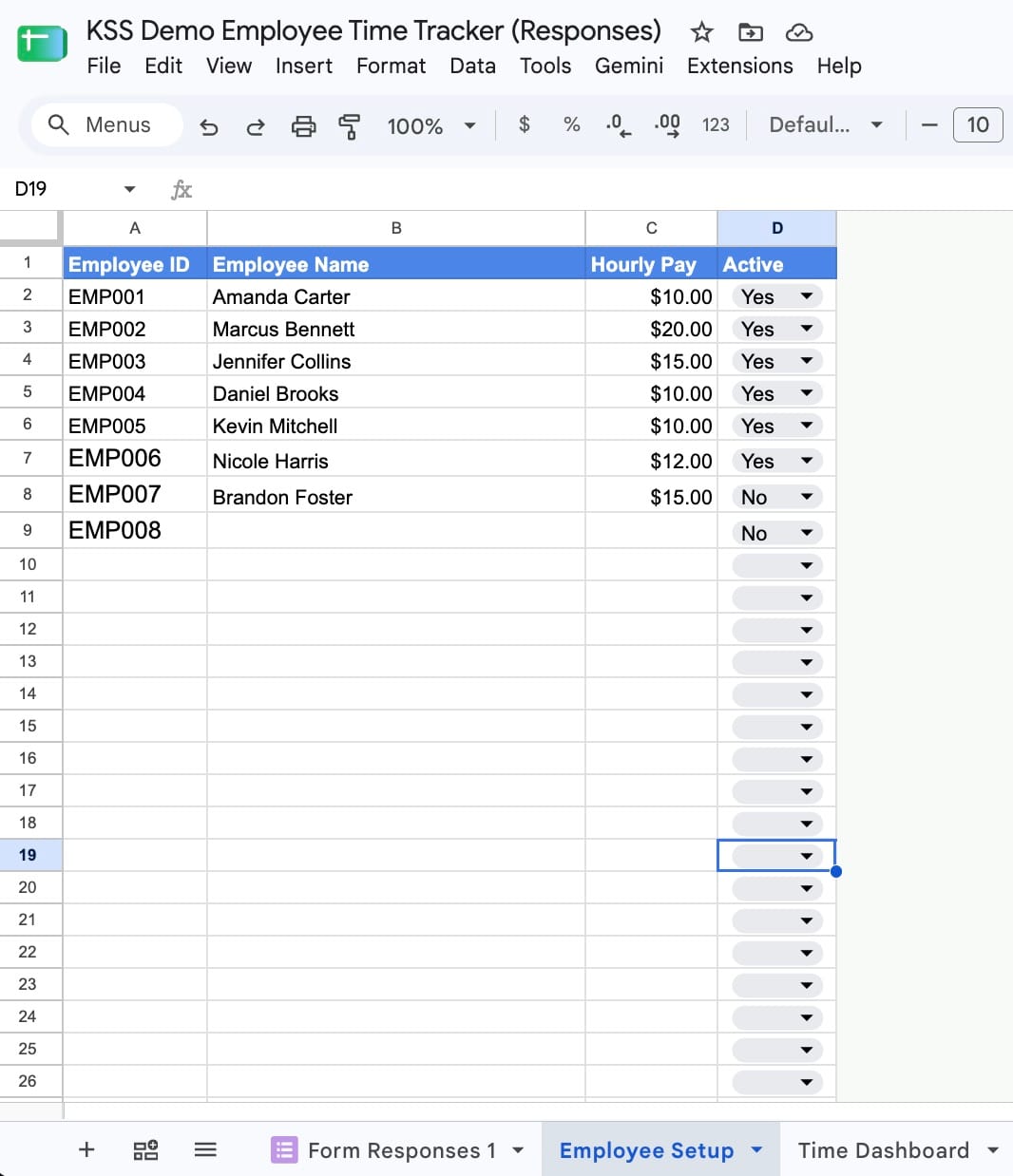
Employee Setup Spreadsheet
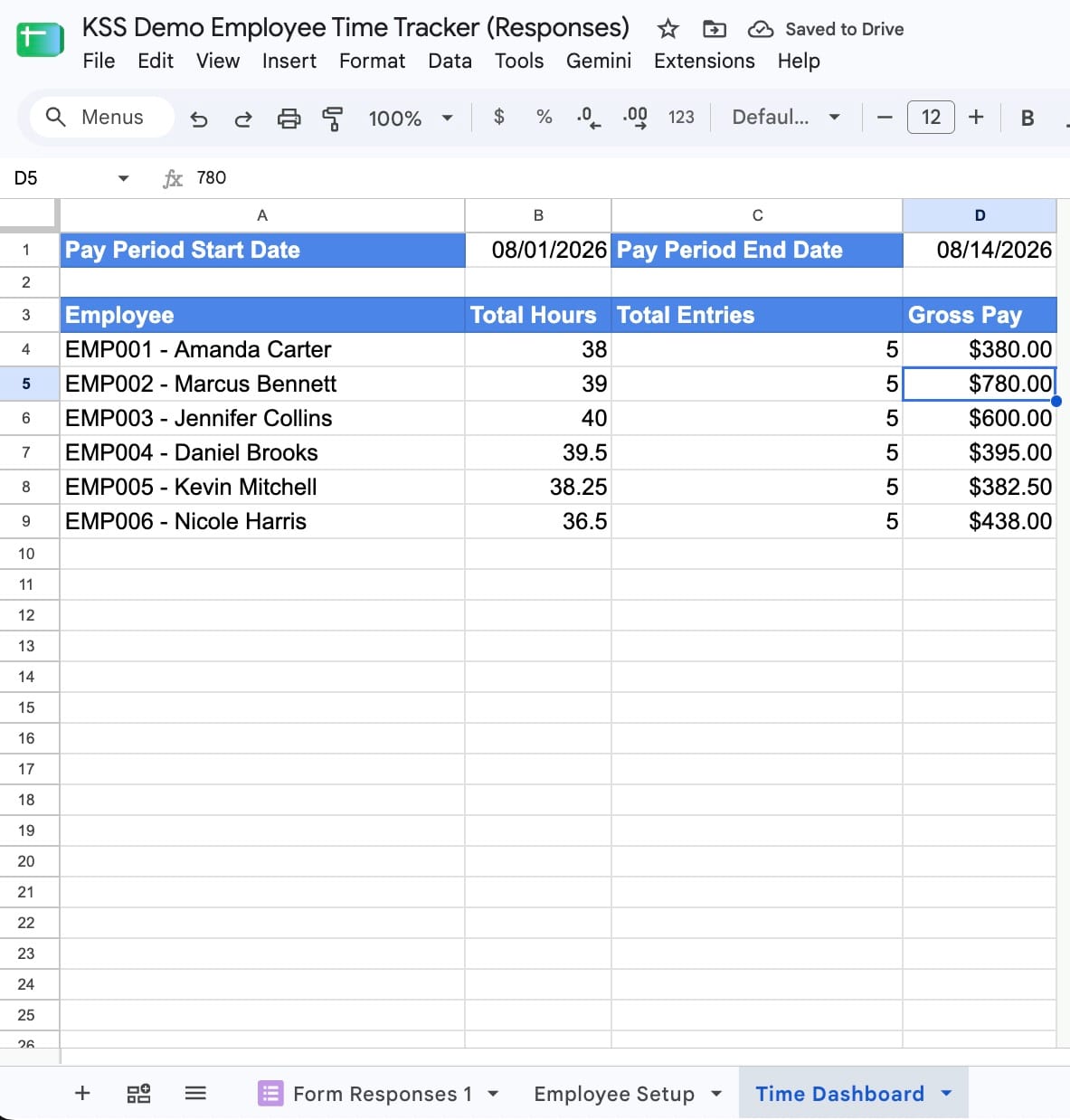
Time Dashboard Spreadsheet
Enter each employee's hourly pay rate once.
The Time Dashboard automatically calculates gross pay for the selected pay period.
Complete Employee Time Tracker Setup — $149
One-time setup. No monthly fee from Kim Simple Solutions.
FAQS
No. Employees do not need a Google account. They can scan the QR code and use the Time Entry Form or View My Time page from any web browser on their phone, tablet, or computer.
No. There is no app to install. Employees access the Employee Time Tracker through any web browser with an internet connection, using the provided QR codes.
Yes. During setup, you can choose how you want employees to record their time:
Total Hours: Employees enter the date worked and their total hours.
Time In / Time Out: Employees enter the date worked, time in, and time out.
Total hours are calculated automatically.
We configure your Employee Time Tracker based on the option you select on your setup form.
Your employee time data is stored in your own Google Drive using Google Workspace tools. Your business keeps control of its files and records—there’s no separate time-tracking platform or subscription required from Kim Simple Solutions.
Your setup includes the Time Entry Form, View My Time page, employee setup spreadsheet, time dashboard, and QR code signs for entering and viewing time—all configured for your business and set up in your Google Drive.
Yes. Simply update the Employee Setup spreadsheet when your staff changes. The Employee Time Tracker will automatically update the Time Entry Form, View My Time page, and Time Dashboard accordingly. Employees can be added or made inactive without purchasing a new tracker.
No. The Employee Time Tracker is a one-time purchase from Kim Simple Solutions. There are no monthly subscription fees from KSS to continue using your tracker.
Ready to Simplify Employee Time Tracking?
We’ll set it up for your business so your employees can start tracking time right away.
© 2026 Kim Simple Solutions
Built with systeme.io | Privacy policy | Terms and conditions